
Design, simulate, and present complex workflows on an interactive graph canvas.

Portfolio project · Visual workflow platform
Workflow sequence
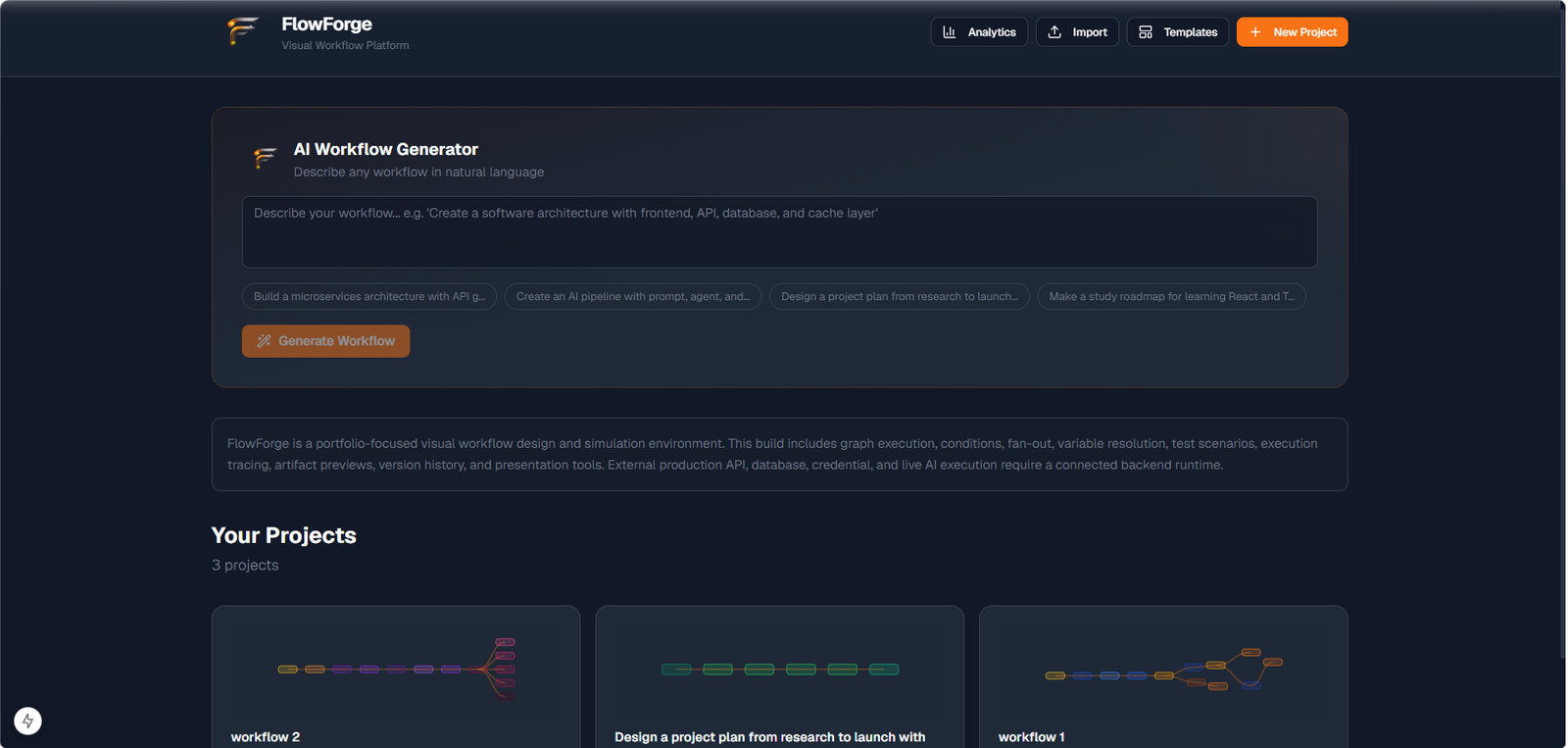
FlowForge is a portfolio-focused workflow editor with schema-driven inspectors, dynamic graph scheduling, execution tracing, multiple graph views, version history, replay, and presentation.
- Next.js
- Tailwind CSS
- React Flow
- Zustand
- IndexedDB
- Vitest
- 30 Node Types
- 5 Graph Views
- 9 Themes
Project overview
From React Flow demo to a full workflow platform
FlowForge evolved into a feature-based Next.js application with 30 node types, workflow-scoped execution state, IndexedDB persistence, and 429+ automated tests. The portfolio build prioritizes graph design, validation, simulation, and artifact inspection while clearly separating what runs today from what requires a connected backend runtime.
01
React Flow Prototype
Interactive canvas editing with undo/redo, auto-layout, and whiteboard annotations
02
Workflow Editor
Workflow-scoped test scenarios, execution history, and artifact previews
03
Simulation Engine
Honest inspector field statuses so unsupported capabilities never look production-ready
04
Workflow Platform
Import/export, visual exports, templates, and workspace draft recovery
Core features
A workflow platform built for design, inspection, and honest simulation.
Feature 01
Visual workflow editor
React Flow canvas with smooth-step edges, minimap, multi-select, node toolbar actions, keyboard shortcuts, and a command palette.
Feature 02
Schema-driven inspectors
Every node type exposes typed fields, validation, capability badges, and honest implementation status labels.
Feature 03
Version history
Auto-save and manual checkpoints, diffing, retention policies, and one-click restore of prior canvas states.
Feature 04
Validation & health
Structural validation for orphans, cycles, and missing connections plus a health score for naming, complexity, and documentation.
Feature 05
Replay & presentation
Record canvas operations for timeline replay and walk stakeholders through workflows in fullscreen presentation mode.
Feature 06
AI-assisted design
Dashboard workflow generation and in-editor assistant routes help draft graphs; live LLM execution remains a connected-runtime feature.
Editor preview
Canvas editing with inspectors, validation, and health scoring.
The canvas editor combines node library, inspector panel, validation, and health scoring on one screen.
Schema-driven inspectors expose typed fields, validation errors, and capability badges per node type.
Validation catches structural issues while the health score surfaces naming, complexity, and documentation quality.
Workflow engine
Simulation-first execution engine
The default Test Simulation runtime schedules reachable nodes dynamically, evaluates condition branches, supports fan-out outputs, resolves {{nodeLabel.field}} variables, and caps long delays honestly while reporting configured versus simulated durations.
Entry
Trigger
Transform
Normalize data
Validation
Validate input
Branch
Condition
YES
Simulated step
Database
Output
Generate artifact
Completed
Success
NO
NO branch
Validation error
Execution Results
Version History
Export
Node system
30 node types across six categories, registered through a plugin system.
Click a library node to add it to the mini canvas, select canvas nodes to inspect them, and connect outputs to inputs.
Node library
Click to add to mini canvas
Mini canvas
Select a node · New nodes auto-connect · Right-click to delete
No nodes on canvas yet. Click a library node above to add one here.
Graph views
One workflow graph, five ways to inspect and communicate it.
01 / 05
Canvas
Primary React Flow editor for building and editing workflows.
FlowForge · Canvas
Presentation & replay
Walk through workflows in presentation mode and replay canvas operations over time.
Presentation mode animates a fullscreen walkthrough of workflow steps, details, and progress.
Replay records canvas operations and plays them back through a timeline scrubber with speed controls.
Themes & polish
Nine theme packs keep the editor adaptable without sacrificing readability.
Active palette
Dark
Theme lab
Hover to preview · click to apply
Design system
Palette · Contrast · Node hierarchy · Panel readability
FlowForge · Dark
Theme 02 / 09
Dark
Default FlowForge dark canvas
Architecture
Feature-based architecture with isolated workflow state
FlowForge separates the editor, node registry, workflow state, simulation engine, and persistence layer so features can evolve without tightly coupling the canvas.
Core technology
Architecture principles
- Schema-driven nodesInspector behavior comes from typed schemas.
- Workflow-scoped stateCanvas, execution, and replay data stay isolated per workflow.
- Browser-first persistenceProjects and artifacts persist locally in the portfolio build.
- Simulation / connected separationTest Simulation runs locally; adapters stay outside the browser boundary.
Current portfolio build
- Graph editing
- Schema-driven configuration
- Validation / health scoring
- Test simulation
- Version history / replay / presentation
- IndexedDB / local persistence
FlowForge architecture
Not connected in portfolio build