
Portfolio project · Angular user directory
Browse, filter, and explore people across teams and companies.
PeopleHub transforms a basic API card exercise into a portfolio-quality directory dashboard powered by DummyJSON, with search, filters, analytics, comparison, saved views, and keyboard-driven navigation.
- Angular
- Chart.js
- REST APIs
- CSS
Redesign story
From reqres.in card exercise to a full directory product
Before
The original User Web App relied on a broken reqres.in API, a flat component structure, and a spinner-only loading experience with no filters, profiles, or resilience.
After
PeopleHub reorganizes the app into core, shared, and feature modules with DummyJSON integration, typed services, offline fallback, Chart.js insights, and advanced directory workflows.
Product capabilities
A complete directory workflow from discovery to comparison and reuse.
Users dashboard
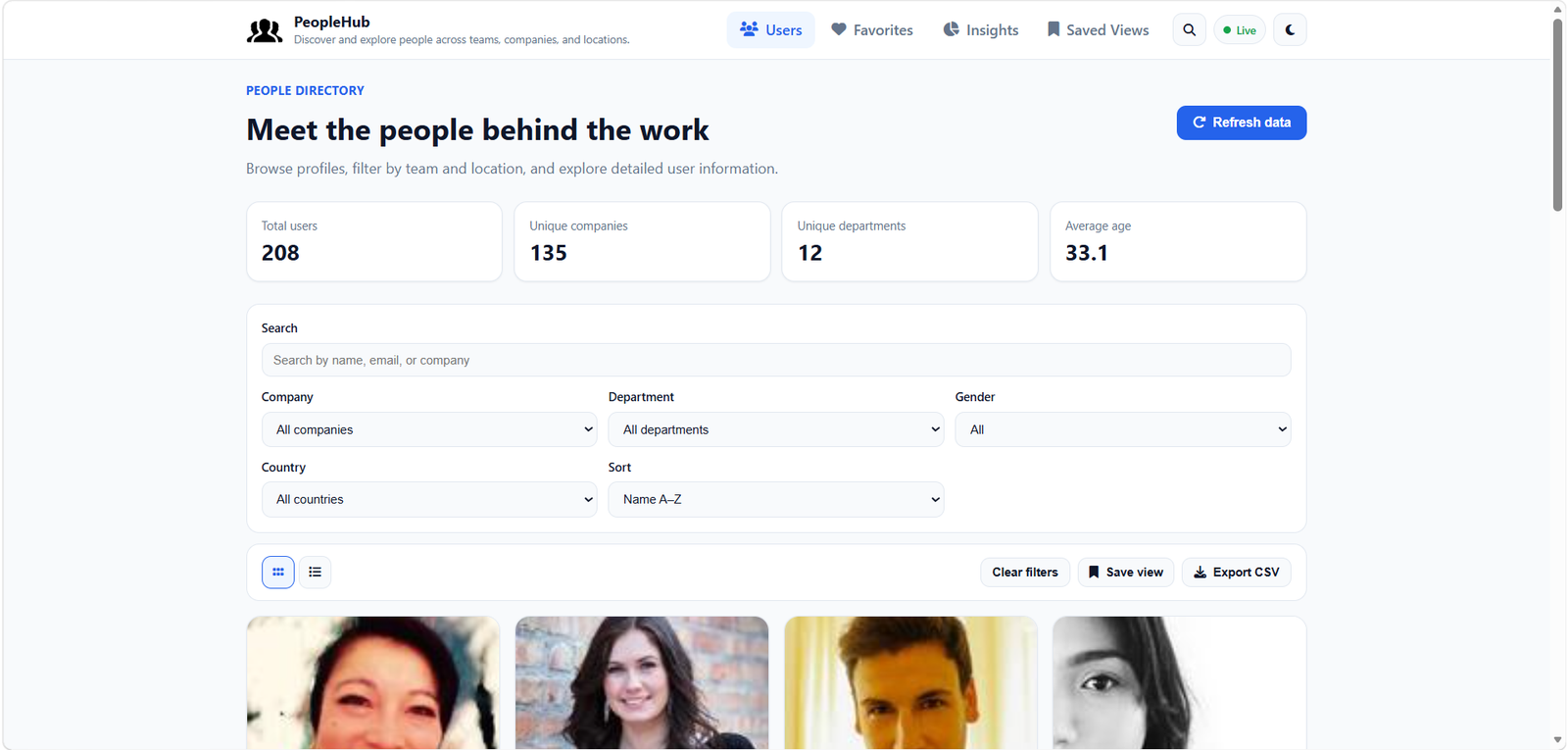
Statistics bar, debounced search, multi-filter controls, grid and list views, URL-synced query params, pagination, and CSV export.
User profiles
Full profile pages with hero details, employment and contact sections, breadcrumbs, favorites, and prev/next navigation.
Workforce insights
Chart.js analytics for departments, companies, demographics, and locations with accessible table alternatives and chart click-through filters.
People comparison
Select two to four profiles for side-by-side comparison with highlighted matches, a floating tray, and shareable URLs.
Saved views
Save filter combinations and layout preferences, then apply, rename, duplicate, or delete directory presets.
Command palette
Ctrl+K navigation across pages, actions, and people search with keyboard controls and recent-user shortcuts.
Directory experience
Search, filter, paginate, and switch between grid and list views.
The directory opens with summary metrics, search, filters, and a responsive action toolbar for view and export controls.
Grid view cards expose quick actions for preview, compare, favorite, and profile navigation.
List view and recently viewed users make it easy to return to profiles without losing context.
Profiles & comparison
Rich profile pages and side-by-side people comparison.
Profile pages combine portrait, employment, contact, and account details with favorite and compare actions.
Comparison mode highlights matching and differing fields across two to four selected people.
Analytics & saved views
Workforce insights, theme support, and reusable directory presets.
Workforce Insights aggregates directory data into department, company, gender, and age-range charts.
Theme-aware chart colors and surfaces keep analytics readable in both light and dark modes.
Saved views store filter combinations and layout preferences for one-click reuse on the directory.
Command palette
Keyboard-first navigation across pages, actions, and people search.
The command palette groups navigation, actions, and people search behind a single keyboard shortcut.
Architecture
Angular features and core services power a resilient directory product.
- Directory stats, filters, sorting, and pagination share one unified view model.
- API status, demo mode, retries, and cached fallback keep the UI usable offline.
- Quick view, comparison tray, and command palette add power-user workflows without leaving the directory.
- Seventeen routes are prerendered for faster first paint on core pages.
Presentation
- Standalone components
- Angular signals
- Lazy-loaded routes
- Responsive app shell
Application
- RxJS data flow
- Query state sync
- Favorites service
- Comparison service
- Saved views service
Data
- DummyJSON Users API
- Client-side caching
- Offline fallback dataset
- Chart.js aggregations